
What Is the New Mercedes-Benz App? The Essential Guide.
The new Mercedes-Benz app is a comprehensive tool designed to enhance your relationship with your car. It connects you to your vehicle in real-time, allowing you to access a range of services and features right from your smartphone. From remote vehicle management to real-time diagnostics, the app is packed with powerful tools that give you more control and insights into your car.
Key Features of the Mercedes-Benz App
1. Remote Vehicle Control
One of the standout features of the new Mercedes-Benz app is its ability to remotely control various functions of your vehicle. Whether you’re at home, at work, or anywhere else, the app puts your car’s key functions right at your fingertips.
- Remote Start: Start your vehicle from a distance, perfect for pre-conditioning the cabin on hot or cold days.
- Lock and Unlock: Lock or unlock your doors remotely, ensuring you never leave your car insecure.
- Location Tracking: If you’ve forgotten where you parked, the app can help you locate your vehicle, making it easy to find in a crowded parking lot.
2. Vehicle Health and Diagnostics
Keeping your car in peak condition is easier than ever with the Mercedes-Benz app. The app provides real-time diagnostics and maintenance notifications, so you always know when your car needs attention.
- Tire Pressure and Fluid Levels: The app can alert you if your tire pressure is low or if any fluid levels are running low.
- Service Reminders: Get notifications for upcoming maintenance tasks, such as oil changes or brake inspections, so you never miss a service interval.
- Vehicle Health Reports: Access a detailed report of your car’s health, including any issues that need addressing, helping you keep your car running smoothly.
3. Advanced Navigation and Route Planning
The app integrates with your vehicle’s navigation system, making it easier than ever to plan your journeys.
- Send Destinations to Your Car: Simply enter your destination in the app, and send it directly to your car’s navigation system.
- Traffic and Route Updates: Stay updated on real-time traffic conditions and receive alternative route suggestions to avoid delays.
- Points of Interest: Whether you’re looking for a gas station, restaurant, or parking facility, the app can suggest nearby points of interest along your route.
4. Charging Management for Electric Vehicles
For owners of Mercedes-Benz electric vehicles (EVs), the app offers a range of features specifically designed to manage and optimize your vehicle’s charging experience.
- Charging Station Locator: Find nearby charging stations quickly and easily using the app’s integrated map.
- Charging Status: Monitor your EV’s charging progress in real time, allowing you to see how much charge is left or when the car is fully charged.
- Charging Control: Start, stop, or schedule your charging sessions remotely for maximum convenience.
5. Enhanced Security and Privacy
The Mercedes-Benz app takes your privacy and security seriously. It offers several features designed to keep your car and personal information safe.
- Secure Login with Two-Factor Authentication: Ensure your account is protected with two-factor authentication, adding an extra layer of security to prevent unauthorized access.
- Geofencing Alerts: Set up virtual boundaries around your vehicle. If your car leaves this designated area, you’ll receive an alert, making it an excellent feature for families or security-conscious owners.
How to Get Started with the Mercedes-Benz App
Getting started with the Mercedes-Benz app is simple. Here’s how you can begin enjoying its features:
Step 1: Download the App
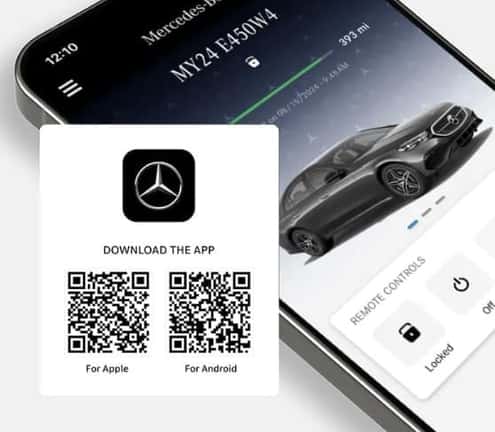
The Mercedes-Benz app is available for both iOS and Android devices. Head to the App Store or Google Play and download the app to your smartphone.
Step 2: Create an Account or Log In
Once you have the app installed, you’ll need to either create a Mercedes me account or log into your existing one. If you’re new to Mercedes-Benz services, creating an account is quick and easy.
Step 3: Add Your Vehicle
To get the full benefit of the app, you’ll need to add your Mercedes-Benz vehicle. You can do this by entering your car’s VIN (Vehicle Identification Number) or scanning the QR code provided in your vehicle’s manual.
Step 4: Explore the Features
Once your vehicle is connected, you’ll have access to a wide array of features. Explore the app to discover all the ways it can improve your driving experience, from remote access to vehicle diagnostics.
Subscription Plans and Premium Features
While many of the app’s features are free to use, some advanced functions require a Mercedes me connect subscription. This premium plan provides access to additional services, including advanced vehicle tracking, remote diagnostics, and enhanced connectivity features. Pricing for the subscription varies depending on your vehicle model and the features you select, so be sure to check the app for details.
Future Updates and Features
Mercedes-Benz is continuously improving the app, adding new features and expanding its capabilities. Expect more integration with other services, enhanced vehicle controls, and even more customization options for your driving experience. As technology evolves, the Mercedes-Benz app will evolve with it, ensuring that your car stays as connected and intelligent as possible.
Conclusion
The new Mercedes-Benz app is a game-changer for car owners, offering a level of control, convenience, and connectivity that was once reserved for luxury vehicles. With features like remote vehicle management, real-time diagnostics, and advanced navigation, it brings everything you need right to your smartphone. Whether you own a Mercedes-Benz electric vehicle or a traditional model, the app can help you get the most out of your driving experience.
Download the Mercedes-Benz app today, and take your car ownership experience to the next level!
0 comment(s) so far on What Is the New Mercedes-Benz App? The Essential Guide.